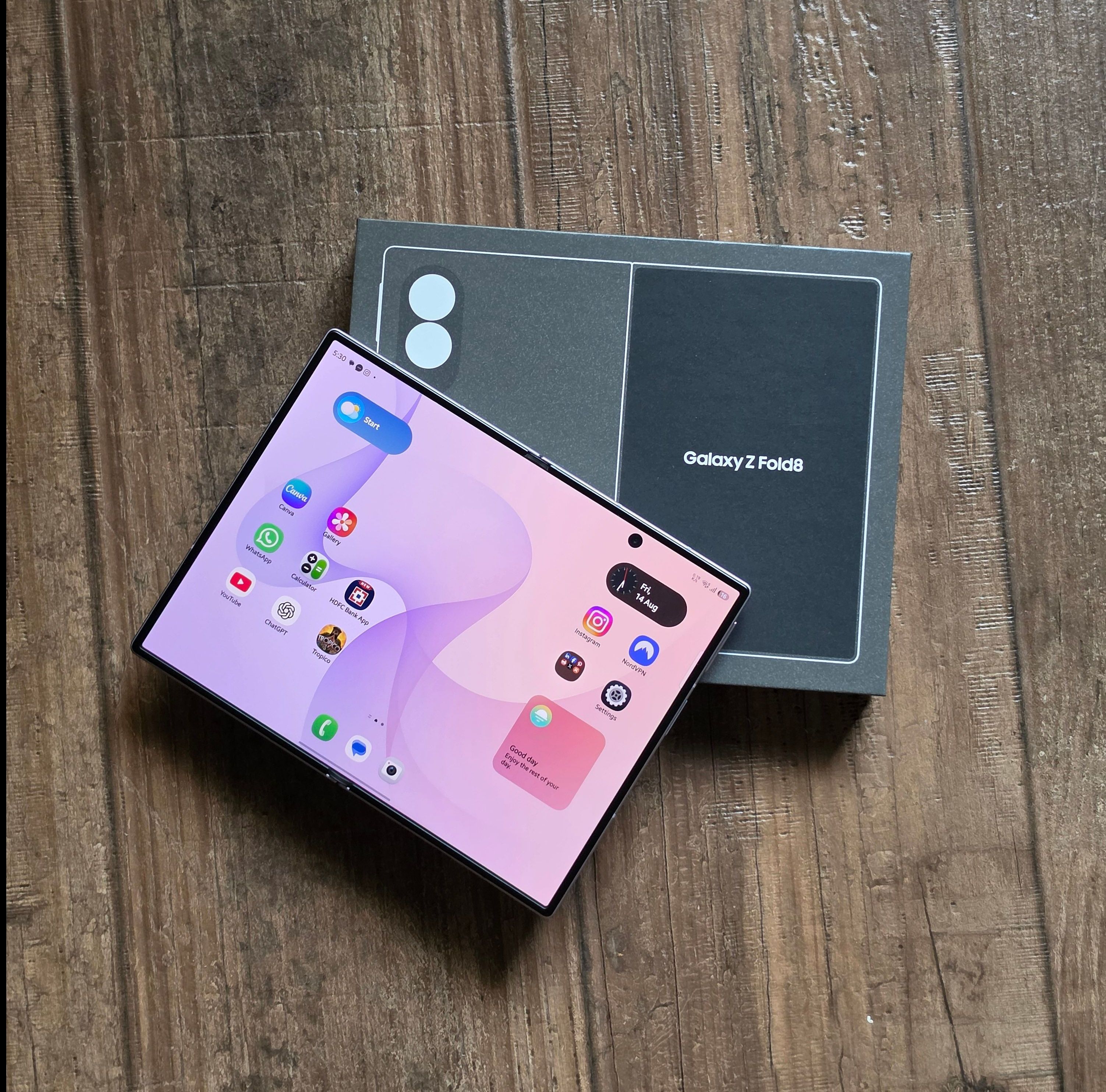
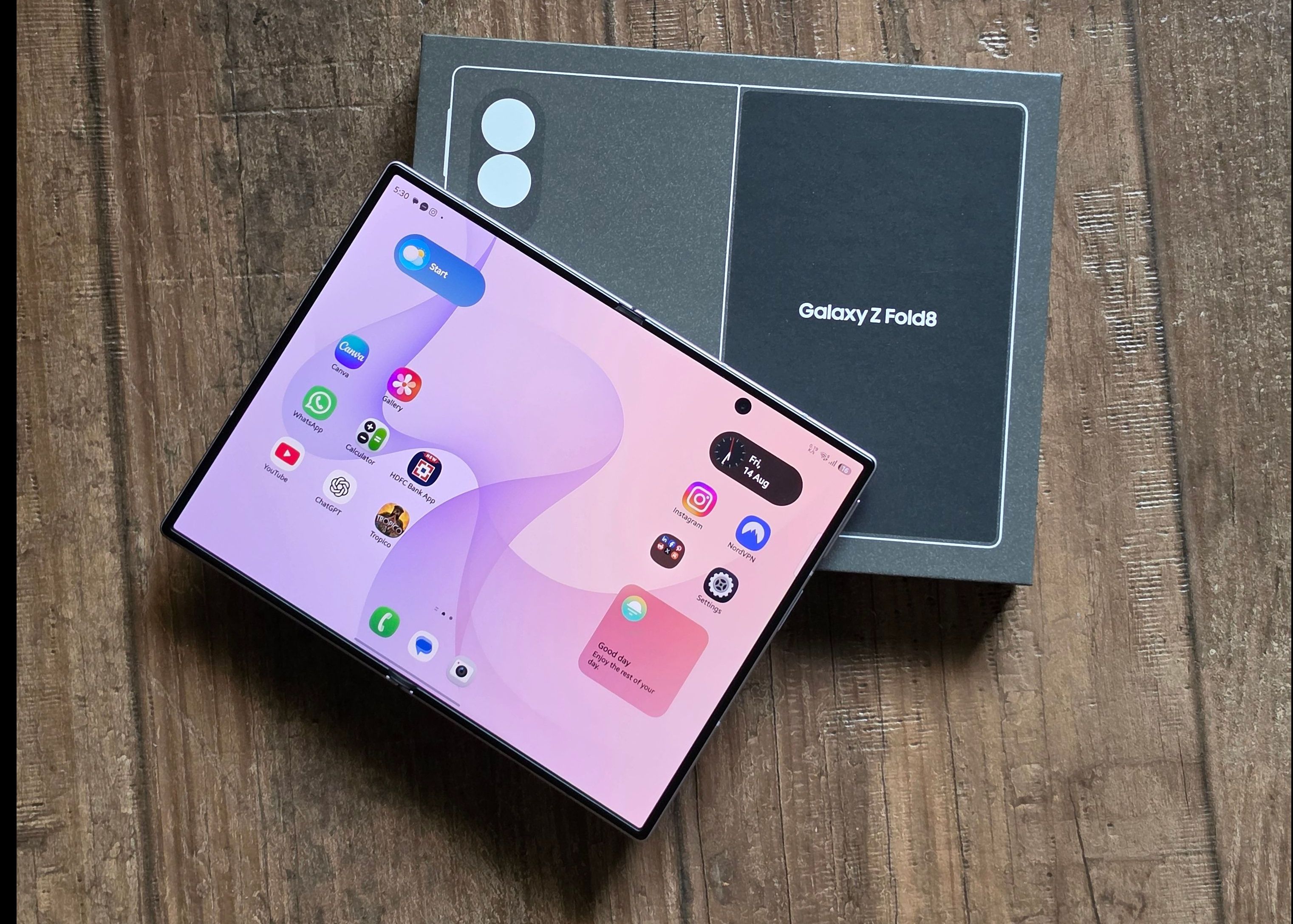
The Samsung Galaxy Z Fold8 reminded me of a time when getting a new phone felt exciting. I like to think of the early 2000s as the golden era of phone design. From the Nokia 9300 to the Motorola Razr and the Sony Ericsson x Walkman series, phones folded, flipped and transformed in all sorts of ways. They were functional, but they were also fun accessories and extensions of your personality.
Then touchscreens arrived and, slowly, much of that personality gave way to a sea of long rectangular slabs. They became more powerful and far more useful, but once your files, apps and settings had synced from the cloud, your new device feels like your old one in a different size, shape or colour.
The Galaxy Z Fold8 changes that. The 5.5-inch cover display seems smaller than the screen you are used to, particularly for a phone that sits on the higher end of the premium category. But that compactness is also the point. Folded shut, it is easy to hold and slips comfortably into a pocket. Open it, and the 7.6-inch main display gives you a mini tablet that still weighs just 201g.
Samsung says the two displays have been designed around how people consume content: a familiar 10:16 cover screen for messages, browsing and short-form video, and a 4:3 inner display for films, games and reading. After using the phone for about a month, that promise mostly holds up. It is not perfect but the Fold8 is unlike any regular smartphone I have used.
After a month of using it, the novelty still hasn’t worn off. But beyond the folding screen, it’s the smaller changes to how I watch, read, work and create that have made the Fold8 difficult to put down. In fact, once I started using it, reaching for my tablet simply felt more inconvenient—and I didn’t pick it up even once.
What Stood Out After A Month With The Samsung Galaxy Z Fold8
1. A Foldable That Is Light Without Feeling Fragile

At 201g, the Fold8 is Samsung’s lightest Galaxy Z Fold yet. When folded, it is just over 12cm tall and less than 9.7mm thick, making it easier to hold in one hand than the oversized phones many of us now carry. My wrists have been thanking me ever since I made the switch. It also fits into smaller pockets without digging into your hip or pelvic bone every time you sit down—an unglamorous detail, perhaps, but one you appreciate very quickly.
That lightness doesn’t make it feel fragile though. The hinge is very sturdy, thanks to Samsung’s new Flex Titanium structure that combines a titanium-alloy film with an enhanced titanium plate to support the display, absorb pressure and reduce the visibility of the crease. In everyday use, the fold was almost invisible. I generally noticed it only when the display was off, the brightness was very low or I deliberately tilted the phone to catch the light.
What I did miss, however, was the ability to confidently prop the phone at any laptop-like angle. I like how discreet and solid the hinge feels, but I would have preferred more flexibility when using the Fold8 as its own stand.
The rest of the phone feels semi-well protected, with an Armor Aluminium frame, strengthened Gorilla Glass on the front and back, and an IP48 rating for dust and water resistance. It should survive accidental spills or getting caught in the rain, although it is not recommended to take it into a pool or to the beach.
2. Two Screens That Serve Different Purposes
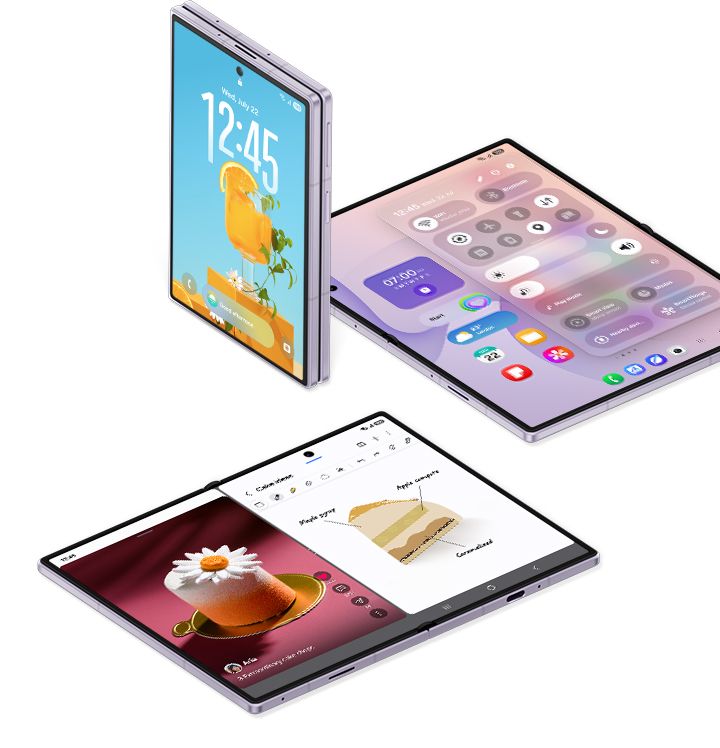
The Fold8 makes the strongest case for itself when you stop expecting both displays to behave the same way. The 5.5-inch cover screen is best for quick tasks such as replying to a message, checking social media, searching for something or making a call. Typing on it even reminded me of using a BlackBerry Curve—compact, deliberate and oddly satisfying.
Open the phone and the 7.6-inch inner display becomes a completely different canvas. Reading an article feels closer to using an e-reader, while older television shows and videos originally created in 4:3 make particularly good use of the squarer display. Full Instagram carousels also fit comfortably on the screen, making them feel far more immersive than they do on a regular phone.
Both displays offer an adaptive refresh rate of up to 120Hz, while the inner screen can reach up to 3,000 nits of brightness. Along with Vision Booster and its low-reflection finish, this makes the screen noticeably easier to see in strong sunlight.
Widescreen videos, however, don’t always appear dramatically larger when the phone is opened. Depending on the format, you may simply end up with bigger black barsAnd short-form videos like reels also always come with black bars, regardless of the screen and orientation. Netflix and Meta have already optimised their apps for the new dimensions, but not every app makes equally good use of the display yet.
3. Multitasking Finally Feels Natural On A Phone
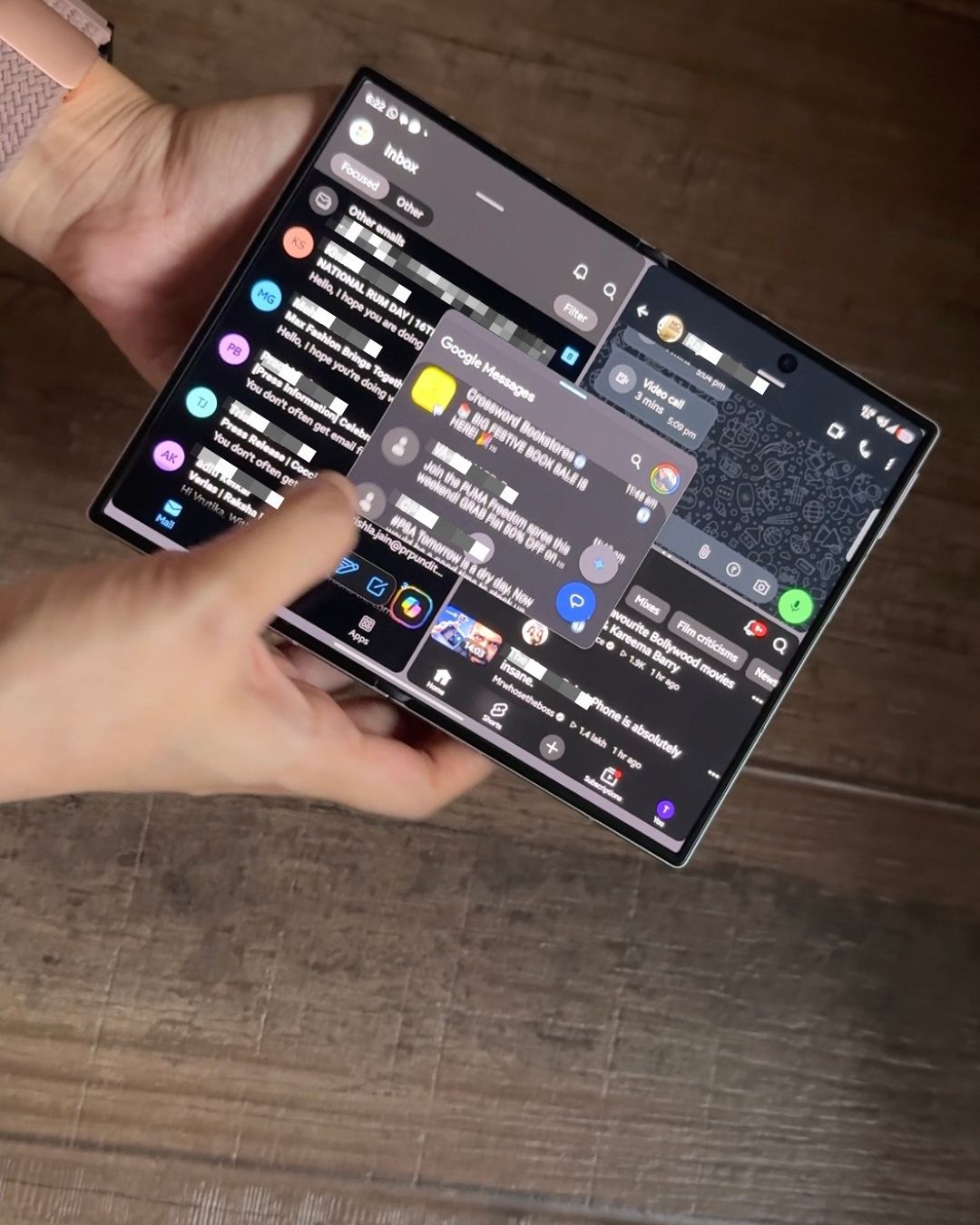
Multitasking is where the inner display stops feeling like a novelty and starts making practical sense. I could keep my email, a YouTube video and browser open at the same time, then answer a WhatsApp message in a floating window without abandoning everything else.
On a regular phone, split-screen modes often feel like too much information squeezed into too little space. Here, the 4:3 display gives each app enough room to remain usable. One UI 9 understands the foldable format: apps move easily between the two displays, split-screen tools are simple to access, and the additional space is used for more than simply enlarging everything on the screen..
Paired with Android 17, the Snapdragon 8 Elite Gen 5 for Galaxy and 12GB of RAM (on the 256GB variant), the experience remained smooth even when I was researching a story, comparing notes and moving between emails and documents.
4. AI Works Best When It Saves You A Few Steps
The most useful AI features were not necessarily the flashiest ones. Circle to Search became one of my most-used tools to look up anything already on my screen without first writing a long prompt to explain the context. I could identify a bag carried by a celebrity, translate text in a screenshot or ask for help drafting a response to an email.
Gemini Intelligence and Bixby can also understand what is on your screen or and work across supported apps and services. Now Brief pulls together relevant information from your day like appointments or bill payment reminders, while Now Nudge can suggest practical next steps such as adding a meeting to your calendar or saving a location when plans take shape in a conversation.
Not every automation will work across every app or language immediately. But when it does work, speaking to the phone feels less like issuing a series of rigid commands and more like talking to a personal assistant.
5. Your Data Doesn’t Have To Leave Your Phone
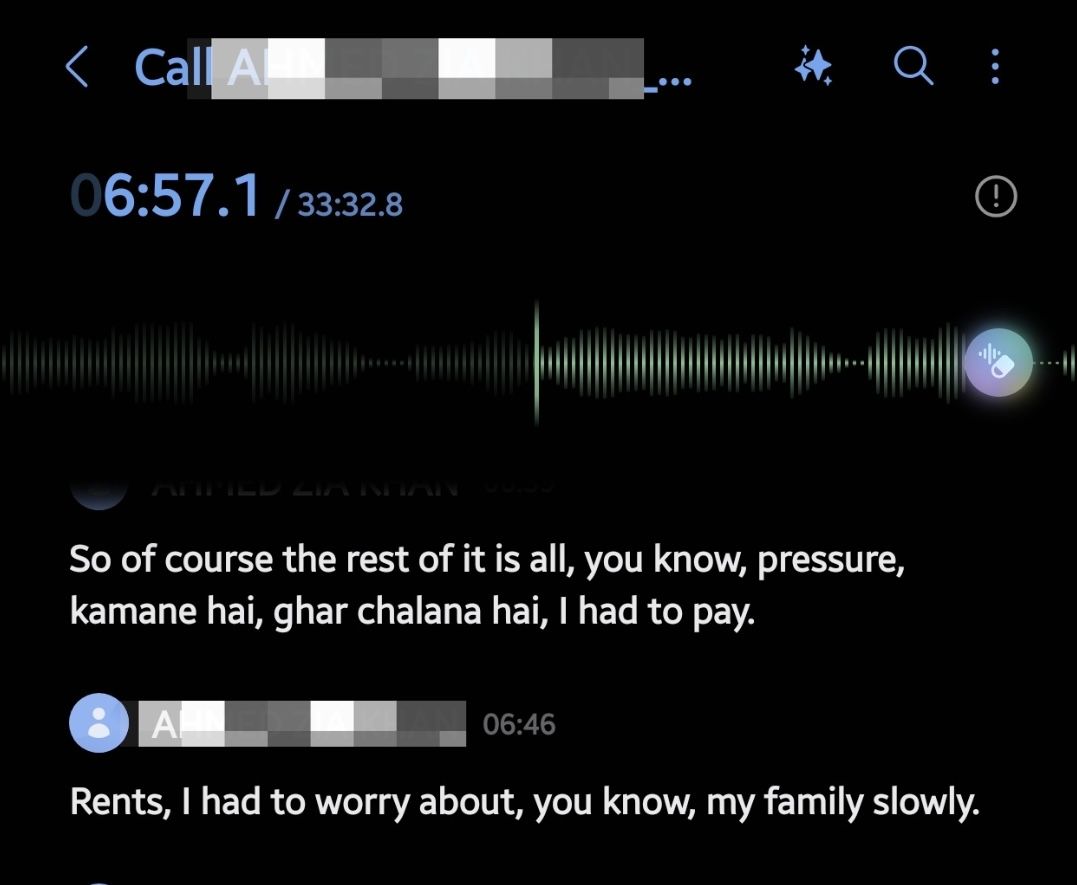
The Fold8’s dedicated Hexagon NPU allows certain AI tasks to be processed directly on the device, keeping sensitive information from being sent to the cloud and allowing several features to work without internet access.
I found this particularly useful while interviewing an actor over a call. The Fold8 recorded the conversation, saved it in the Voice Recorder app and automatically transcribed it, sometimes even identifying Hindi words used within English sentences. This considerably reduced my workload. Different speakers within recorded calls or voice recordings can be identified automatically and all this can be done on the device without the internet, keeping sensitive conversations private.
The same on-device processing also powers several translation tools–Download the relevant language packs and Live Translate and Interpreter can work offline—a significant advantage while travelling where data is unreliable and expensive.
One UI 9 also gives you a dashboard showing which actions AI assistants have completed on your behalf, while Privacy Alerts can flag apps making unnecessary attempts to access permissions in the background. It makes the phone’s increasingly autonomous AI easier to monitor.
6. My FanCam Makes Editing Videos So Much Easier
My FanCam is one of those uses of AI that content creators have been waiting for. You can select a person in a crowded frame, and the phone automatically tracks them and reframes the video in the canvas size you need. It is particularly useful when repurposing one video for different platforms, turning what could take hours of frame-by-frame editing into a process that takes seconds.
Audio Eraser is equally useful after filming. It identifies voices, wind and background noise in a video or recording and lets you reduce each individually. For anyone frequently filming interviews or events in crowded spaces, it can rescue audio that would otherwise be difficult to use.
7. Good Lock Brings Back The Fun Of Personalising A Phone
If you remember exchanging themes and wallpapers over Bluetooth, Good Lock brings back the feeling of making a phone entirely your own—only with far more control.
I used it to build a theme, make stars appear whenever I received a notification and monitor my data speed. But it goes beyond cosmetic changes: you can force apps into split-screen or floating windows, control the volume of individual apps, assign shortcuts to thumb gestures and customise screenshots and screen recordings.
8. Gaming Feels Like You’re Playing On A Tablet
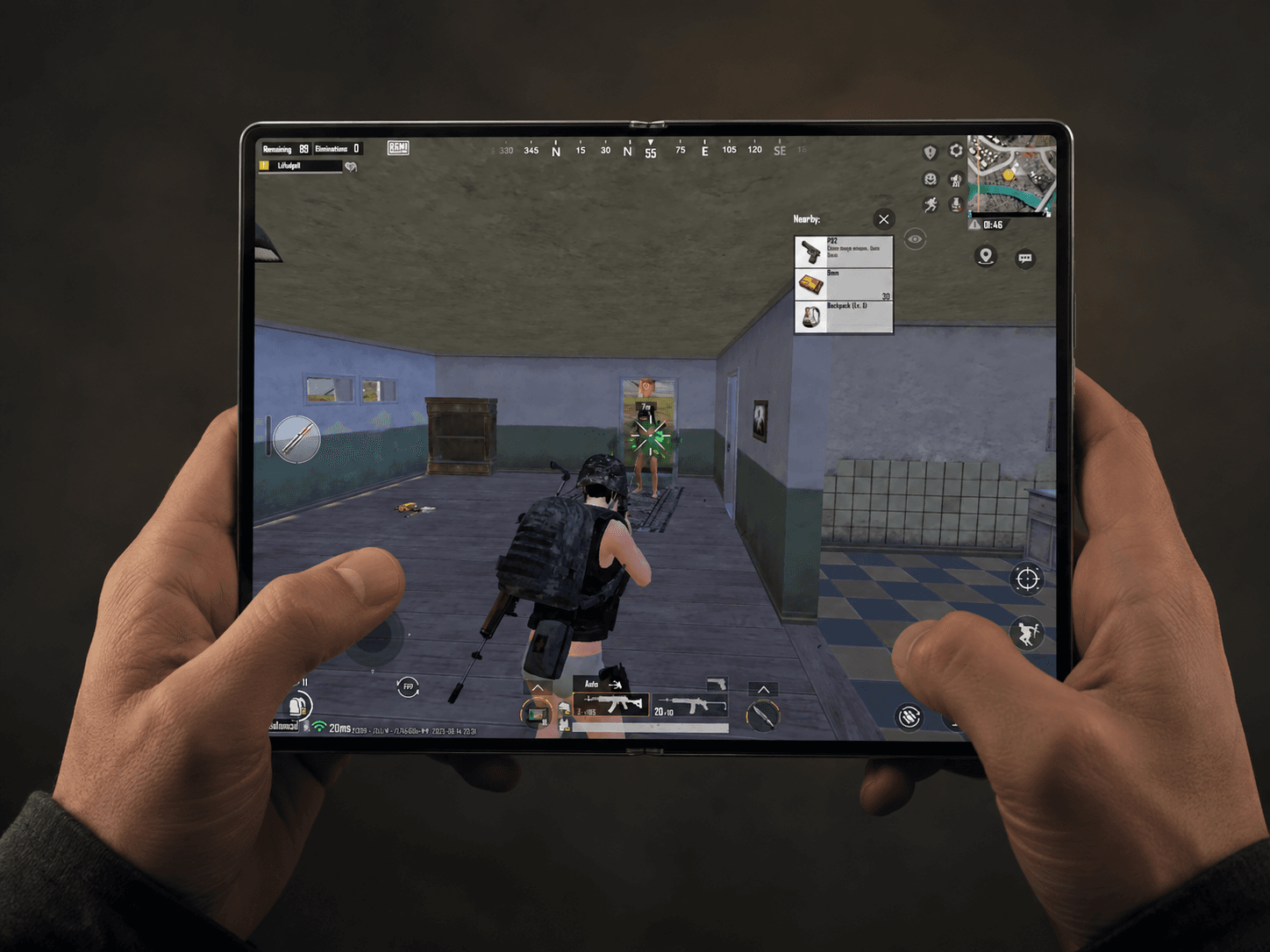
Gaming is simply more fun on the Fold8 than on a regular phone. The Snapdragon 8 Elite Gen 5 for Galaxy and upto 12GB of RAM kept graphics-heavy games running smoothly without noticeable stuttering. The 7.6-inch QXGA+ Dynamic AMOLED 2X display has an adaptive refresh rate of up to 120Hz, which makes gameplay feel far more fluid.
The larger canvas also gives you more room for on-screen controls without your fingers covering half the action. Except, unlike a tablet, it weighs just 201g and folds into your pocket once you are done.
The two speakers are loud and clear, but I wish they were positioned differently. When the phone is opened, both sit on the same side, leaving only one way to hold it in either orientation without blocking the sound.
9. The Cameras Are Versatile, But Still Feel Like A Compromise
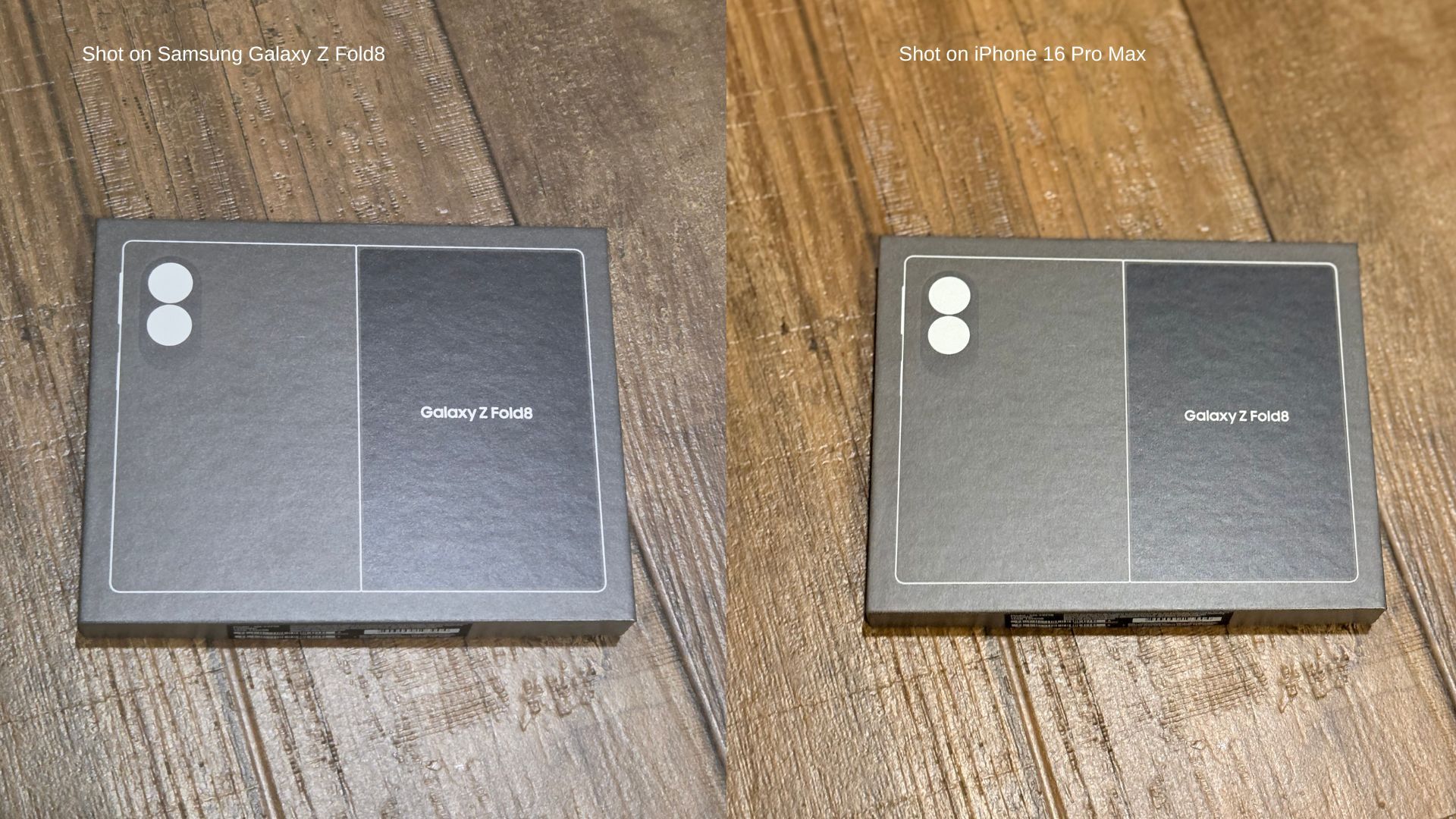
The Fold8 has two 50MP rear cameras: a wide-angle camera with optical image stabilisation and 2x optical-quality zoom, and an ultra-wide camera with a 120-degree field of view. Since both sensors offer the same resolution, switching to the wider frame doesn’t result in the obvious loss of detail often seen on secondary smartphone cameras. Both the cover and inner displays also have their own 10MP cameras for video calls and quick selfies.
The foldable design also offers a few advantages. You can use the rear cameras for selfies while previewing the frame on the cover screen, show your subject how the photograph looks before taking it, or partially fold the phone for hands-free photographs and videos. Dual Recording lets you film through the front and rear cameras simultaneously, making it easier to capture what is happening in front of you along with your reaction.
Even so, the absence of a dedicated telephoto camera is noticeable at this price, particularly if you shoot concerts, events or subjects from a distance. If photography is your priority, the Fold8 Ultra’s 200MP camera system is considerably more compelling.
10. A Battery That Lasts Longer Than You’d Expect
The Fold8’s 4,800mAh dual battery may not sound particularly large for a device powering two displays, but it comfortably lasted until the evening during my use—even with nine to ten hours of screen time.
The hardware and software help manage power through out the day. Both displays have an adaptive refresh rate that can move between 1Hz and 120Hz, using the full refresh rate for gaming or scrolling and lowering it for static content. One UI also automatically puts rarely used apps to sleep,to stop them from draining the battery in the background. The Snapdragon 8 Elite Gen 5 is designed to improve power efficiency while handling heavier tasks.
The Fold8 supports 45W wired charging, which can charge the battery from 0 to a little above 50% in 30 minutes without heating the device. Wireless charging is now available at 20W whereas Wireless PowerShare comes in clutch when your earbuds, smartwatch or another phone need a quick top-up.
11. Switching Ecosystems Is No Longer Such A Headache
Moving to the Fold8 was far more seamless than I expected. Samsung’s updated Smart Switch can wirelessly transfer photos, contacts, messages, passwords, passkeys, call history and even eSIM data from an iPhone by simply scanning a QR code.
Quick Share now also works both ways with AirDrop, allowing you to send files between the Fold8 and compatible Apple devices. This means your choice of phone no longer needs to be limited by the devices you already use.
12. Your Phone Can Double As A Desktop
Plug the Fold8 into a television or monitor using the right USB-C cable, and Samsung DeX opens a desktop-style interface on the larger screen. You can use the phone as a keyboard and trackpad or connect a Bluetooth keyboard and mouse to open apps in separate windows, move files and work on documents or presentations.
You can also connect wirelessly to displays that support screen sharing, although the connection can occasionally lag. You can continue using the Fold8 as the keyboard and trackpad, just as you would use a laptop. If you need a more comfortable set-up, you can connect a Bluetooth keyboard and mouse instead. You can then open multiple apps in separate windows, drag and drop files, answer emails, edit documents or put together a presentation.
DeX won’t replace a powerful laptop, and not every Android app adjusts perfectly to the desktop layout. But while travelling, it could save you from carrying another device for lighter work.
So, Is The Samsung Galaxy Z Fold8 Worth It?
The Galaxy Z Fold8 is not the obvious choice for everyone, especially if the camera is your biggest priority. But for someone who reads, watches, works and creates extensively on their phone, its convenience is difficult to give up.
That became clear whenever someone asked to try mine: more than 60 per cent of them said they could realistically see themselves switching to it. A month later, I’m no longer impressed by the Fold8 simply because it folds. I’m impressed because the form factor has proved genuinely useful—and returning to a regular phone now feels like a downgrade.


